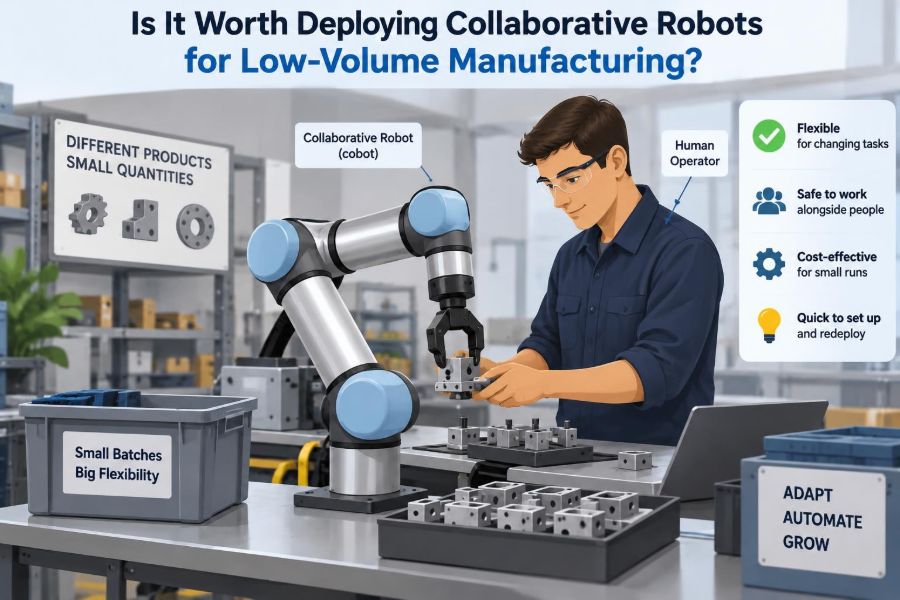

A production supervisor has a familiar problem: demand is real, but it is not steady. This month, the team needs 400 specialized assemblies. Next month, it may need 60 units of a different variant, followed by a rush order with slightly changed components.
Traditional automation can look like the obvious answer—until someone calculates the fixture design, guarding, programming, commissioning time, and disruption to the line. For a short or variable run, a dedicated machine may never earn back that effort.
Meanwhile, operators are spending valuable hours on repetitive screwdriving, tending a test station, moving parts between benches, or packing finished kits. These jobs are not always difficult, but they can be tiring, inconsistent, and hard to staff.
Collaborative robots, usually called cobots, promise a middle path: automation that can work near people and be redeployed as production changes. That promise is useful, but it is not automatic. Whether a cobot is worth deploying in low-volume manufacturing depends far more on the process than on the robot itself.
🦾 What Makes a Robot Collaborative?
A collaborative robot is an industrial robot designed with features that can support operation near people. Common features include force or torque sensing, rounded physical design, speed monitoring, and safety-rated stop functions.
Collaborative does not mean harmless or guard-free by default. A cobot carrying a sharp tool, hot part, heavy payload, or fast-moving workpiece can still create significant hazards. The entire application—not the robot label—determines the safety approach.
In practice, cobots are often selected because they are compact, relatively straightforward to program, and suited to flexible workstations. Those traits can be valuable in low-volume environments, where the same floor space must support changing products.
🏭 Why Low-Volume Manufacturing Changes the Decision
Low-volume manufacturing is not defined by one universal batch size. It generally describes work with limited quantities, frequent product changes, high mix, engineering revisions, or irregular demand.
In a high-volume line, automation can be optimized around one stable sequence and run for a long time. In low-volume work, the main challenge is often not cycle time; it is the time and uncertainty surrounding every changeover.
A cobot can make sense when it reduces the burden of those changes. If a team can shift it from machine tending to inspection support with modest reconfiguration, its value comes from reusable capability, not simply from replacing a pair of hands.
🔍 Start With the Work, Not the Robot
The wrong starting question is, “Where can we put a cobot?” The better question is, “Which recurring task is constrained by repetition, ergonomics, quality variation, staffing, or machine idle time?”
Map the actual work sequence before discussing hardware. Watch operators perform the task across normal conditions, including material replenishment, exceptions, inspection, tool changes, and the moments when production pauses.
A task that looks repetitive from a distance may contain frequent judgment calls. Conversely, a process with several manual steps may contain one simple, stable segment that is ideal for automation.
🧩 Separate Repetition From Complexity
Good early cobot candidates are repetitive but bounded. The part arrives in a predictable location, the action is clearly defined, and successful completion can be checked with a sensor, measurement, or vision system.
Poor candidates often require constant informal adaptation: finding randomly oriented soft parts in a bin, deciding whether a cosmetic defect is acceptable, or resolving inconsistent fit-up without a reliable reference.
Human dexterity and judgment are especially valuable where variation is high. A cobot does not remove that reality; it either needs fixtures, sensing, compliant tooling, or a redesigned process to handle it.
🎯 Identify a Stable Automation Unit
Instead of automating an entire cell immediately, define the smallest useful unit of work. This could be loading a test fixture, applying adhesive along a guided path, labeling completed assemblies, or transferring a part to a measurement station.
This approach limits technical risk and creates a clearer baseline. The team can compare output, rework, downtime, and operator experience before extending the system.
For example, a manufacturer producing custom electrical enclosures might automate only the repetitive screwdriving pattern while keeping component selection and final visual checks manual. That is not incomplete automation; it is targeted automation.
⏱️ Cycle Time Is Not the Only Time That Matters
A cobot may move more slowly than an experienced operator, particularly when it must use conservative speeds near people. Looking only at seconds per unit can therefore lead to a premature rejection.
Consider the broader timeline: machine waiting time, operator walking, breaks, fatigue, inspection delays, missed torque steps, and time spent recovering from small errors. A robot that keeps a machine loaded while an operator performs higher-value work may improve total cell throughput even if its own motion is slower.
Measure both touch time—the time someone directly spends on the task—and elapsed lead time. They answer different questions.
🔄 Changeover Time Is Often the Decisive Metric
For low-volume work, the crucial comparison is often not robot cycle time versus human cycle time. It is the time required to switch from Product A to Product B, validate the new setup, and return to reliable production.
A cobot deployment is more attractive when recipes, end effectors, fixtures, and inspection criteria can be changed quickly and repeatably. If every new part requires several days of custom programming and mechanical redesign, flexibility disappears.
Document changeover as a sequence: load program, change gripper fingers, swap fixture, verify sensors, run first article, and approve the setup. Each step should have a clear owner and an expected result.
🧰 Fixtures Often Matter More Than the Arm
Many failed automation projects are really fixturing problems. If parts arrive in uncertain positions, move during processing, or lack reliable locating surfaces, the robot has no stable world to work in.
A well-designed fixture can simplify robot programming, reduce the need for advanced vision, and make quality more repeatable. It may include locating pins, nests, clamps, poka-yoke features, or simple guides that prevent incorrect orientation.
Do not treat fixtures as an afterthought. In low-volume settings, modular fixture elements can be especially valuable because they reduce the cost of supporting multiple product variants.
✋ Choose End Effectors for Variation
The end effector is the robot’s working tool: a gripper, vacuum cup, screwdriver, dispenser, probe, or other device attached at the wrist. Its limitations often define the practical limits of the application.
A rigid gripper may be fast and precise for one component but unusable for the next revision. Adjustable fingers, compliant grippers, tool changers, and adaptable vacuum solutions can increase versatility, though each adds complexity and validation work.
When evaluating a gripper, examine more than whether it can pick the nominal part. Consider surface condition, part tolerances, orientation, contamination, fragile features, cable routing, and what happens when a pick fails.
👁️ Use Vision Only Where It Earns Its Keep
Machine vision can help a cobot find parts, read codes, verify orientation, or inspect defined features. It is powerful, but it is not a substitute for a stable process.
Lighting changes, reflective surfaces, shifting backgrounds, and poorly presented parts can make a vision task unreliable. Adding a simple tray or fixture may solve a problem more robustly than adding sophisticated image processing.
Use vision when it enables a real capability: locating several part variants, confirming a label, or checking a required feature. Avoid adding it merely because random presentation seems convenient.
🛡️ Safety Must Be Designed at the System Level
A risk assessment should examine all reasonably foreseeable tasks: normal operation, teaching, cleaning, loading, fault recovery, maintenance, and abnormal conditions. The assessment must include tools, payloads, pinch points, nearby equipment, and how people enter the workspace.
Risk reduction may involve speed and separation monitoring, physical barriers, safety scanners, interlocked doors, limited robot force, safe work zones, or redesigned tooling. The appropriate combination depends on the application and local requirements.
Collaborative operation is therefore a design outcome, not a purchase feature. In some cases, a guarded cobot cell is the safer and more productive choice.
📏 Understand Payload, Reach, and Real Forces
Payload ratings can be misunderstood. The total load includes the workpiece, gripper, adapters, fasteners, cables, and sometimes process forces—not just the part being lifted.
Reach also changes the problem. A robot working near its maximum extension may have reduced practical payload capacity, less favorable stiffness, or awkward cable routing. Fast starts and stops create dynamic forces that static payload numbers do not fully describe.
Check the required poses in a realistic layout. A simulation or floor trial should include the largest variant, the heaviest tooling, and the least convenient approach angle.
⚙️ Machine Tending Is a Strong First Use Case
Machine tending means loading and unloading a CNC machine, press, test rig, molding machine, or similar equipment. It is often a practical cobot application because the machine defines a repeatable interface and protects the process during operation.
The goal is not necessarily to run unattended. A cobot can keep the machine supplied while one operator supervises multiple activities, handles setup, checks quality, and responds to exceptions.
Success depends on details: door control, part presentation, chip or coolant management, cycle-complete signals, safe access, and a plan for rejects. The robot movement is usually the easy part.
🔩 Assembly Benefits From Force Control and Verification
Some assembly tasks suit cobots because they involve controlled pressing, insertion, screwdriving, or dispensing. Force control can help the robot detect contact and limit insertion force rather than blindly pushing a part into place.
Yet force control is not magic. If mating parts vary widely, are damaged, or require visual judgment to align, the system may still struggle. Designing lead-ins, chamfers, guides, and confirmation sensors is often more reliable than relying on force feedback alone.
For screwdriving, recordable torque and angle data can support traceability when the process genuinely requires it. The right verification method should match the product’s quality risk.
🧪 Inspection and Test Stations Can Be Flexible Targets
A cobot can position a part for a camera, place probes into a test fixture, sort pass and fail bins, or move products through a measurement routine. These tasks can be attractive because test equipment already creates measurable pass/fail signals.
However, probe alignment, connector life, and variation in part position deserve careful attention. A robot can repeatedly damage a fragile connector if the fixture does not control alignment.
Automate the handling around a validated test method first. Do not use the robot project to conceal an unstable test process.
📦 Material Handling Can Remove Hidden Waste
Small transfers between benches, racks, carts, and machines may appear too simple to justify automation. But repeated walking and waiting can fragment an operator’s attention and leave expensive equipment idle.
A cobot can be useful for predictable handoffs: placing components into trays, stacking parts, moving completed units to a conveyor, or keeping a workstation supplied. In low-volume production, the value may be smoother flow rather than a dramatic increase in speed.
Look for transfers that occur frequently and interrupt skilled work. The best target is often a nuisance task that everyone has learned to tolerate.
💵 Build a Cost Model Beyond Purchase Price
The robot arm is only one part of the investment. A credible cost model includes tooling, fixtures, sensors, safety equipment, electrical and pneumatic work, integration, programming, validation, training, documentation, and expected maintenance.
Also include internal time. Operators, manufacturing engineers, quality staff, maintenance personnel, and safety specialists all contribute to a successful deployment, even when their hours do not appear on an equipment quote.
| Cost or benefit area | Question to ask |
|---|---|
| Capital and integration | What hardware, design work, and commissioning are needed? |
| Operating impact | Which labor hours, machine waits, errors, or ergonomic exposures change? |
| Changeover effort | What does each new variant require in tooling and programming? |
| Utilization | How many productive hours can the cell realistically run? |
| Risk and support | Who responds when the cell stops or a product revision arrives? |
📈 Think in Capacity, Not Only Labor Replacement
“The robot replaces one operator” is usually an oversimplification, especially in low-volume facilities. Operators frequently perform setup, inspection, replenishment, troubleshooting, and informal coordination that a robot does not replace.
A better question is whether the cobot creates usable capacity. It may free a technician for complex assembly, allow a machine to run through breaks, reduce a queue at a test station, or make a physically demanding job sustainable.
This framing avoids unrealistic business cases and recognizes that automation can support people rather than simply remove positions.
📊 Estimate Utilization Honestly
A cell that runs only occasionally has limited opportunity to recover its cost, regardless of how elegant the demonstration looks. Planned production time is not the same as productive robot time.
Estimate likely utilization after accounting for changeovers, material replenishment, quality holds, maintenance, engineering trials, and periods when the product is not scheduled. For a flexible cobot, also ask whether it can be reassigned to another validated task.
High mix can improve the case if the same platform serves several products. It weakens the case if every product needs unique, rarely used hardware.
🧮 Evaluate Payback Without False Precision
A financial evaluation should state its assumptions openly: expected annual use, labor redeployment, scrap reduction, throughput improvement, support costs, and service life. Avoid presenting a single payback number as though it were certain.
Use scenarios instead. A conservative case may assume modest utilization and more frequent changeovers; a stronger case may assume stable demand and reuse across multiple jobs. The range reveals which assumptions matter most.
Some benefits are difficult to monetize but still legitimate: fewer repetitive motions, better process records, more predictable scheduling, and lower dependence on scarce specialized labor. Describe them honestly rather than forcing them into an invented number.
👥 Involve Operators Before the Cell Is Built
Operators understand the real process: the tray that occasionally sticks, the part revision that arrives without notice, and the shortcut that prevents damage. Leaving them out can produce a technically impressive cell that is frustrating to operate.
Invite operators to identify pain points, review layouts, test interfaces, and help define recovery procedures. This also makes training more practical because the language of the system reflects actual work.
Automation adoption improves when people can see what will change in their shift and how their knowledge is being used, not ignored.
🧑💻 Plan Programming and Support Ownership
Low-volume automation needs someone who can update recipes, recover from routine faults, inspect tooling, and decide when a change requires engineering review. That responsibility must be clear before production depends on the cell.
Modern cobot interfaces can make basic teaching accessible, but accessible programming does not eliminate the need for process engineering. Changes to safety logic, vision, force settings, or machine interfaces require controlled methods.
Create practical levels of access: operators may select approved recipes and perform guided recovery, while trained engineers manage validated program changes.
🗂️ Treat Programs and Recipes as Controlled Production Data
When a product revision changes a pick location, torque target, inspection threshold, or fixture, the robot program may need to change too. Uncontrolled edits can create a mismatch between the build instructions and the automated process.
Use naming conventions, backups, revision records, and approval steps appropriate to the product’s risk. Store the recipe with its relevant fixture and tool information, not as an isolated file on one person’s laptop.
This discipline becomes especially valuable when a low-volume product returns months later and no one remembers the previous setup.
🚨 Design for Fault Recovery, Not Just Happy Paths
Every automated cell eventually encounters a dropped part, empty tray, failed pick, sensor fault, machine alarm, or interrupted cycle. The question is whether recovery is safe, fast, and understandable.
Provide clear status indicators and instructions that tell the user what happened and what to check. Where feasible, allow the cell to reject a suspect part or pause in a safe position rather than forcing an improvised response.
A system that needs an expert for every minor interruption may deliver less real capacity than a slower system that ordinary production staff can recover reliably.
🧹 Account for Maintenance and Housekeeping
End effectors wear, vacuum cups collect debris, sensors drift or become dirty, cables flex, and fasteners loosen. The robot may be reliable, but the complete cell still needs routine care.
Define simple preventive tasks: inspect gripper surfaces, check air supply, clean optical components, verify fixture condition, test safety devices, and review unusual fault patterns. Assign frequencies based on the environment and equipment guidance.
Good housekeeping also affects performance. Chips, adhesive residue, loose packaging, and crowded access paths can turn a robust concept into an unreliable workstation.
⚠️ Common Mistake: Automating an Unstable Process
If manual production has frequent fit problems, unclear instructions, inconsistent incoming material, or disputed quality criteria, automation will expose those weaknesses. It may repeat defects more consistently, but it will not resolve the underlying cause.
Stabilize the process first. Define acceptable inputs, standardize the work sequence, establish clear quality checks, and understand the normal sources of variation.
Then automate the portion that has a dependable input and output. This order is usually faster than trying to solve every process problem through software adjustments after installation.
⚠️ Common Mistake: Buying for a Demonstration, Not Production
A polished demonstration often uses ideal parts, a tidy fixture, a stable program, and an experienced presenter. Production includes worn containers, supply substitutions, new operators, interrupted shifts, and changing priorities.
Ask prospective solutions to handle representative variation. Test the least convenient part, realistic lighting, normal packaging, and the handoff conditions that exist on the floor.
The right proof of concept is not simply a successful cycle. It is evidence that the cell can recover, change over, and remain understandable under normal operating conditions.
🧭 A Practical Pilot Framework
A pilot should answer a focused operational question, such as whether a cobot can keep a test station supplied across three product families without increasing defect risk. Broad ambitions make pilots difficult to evaluate.
- Select one task with stable inputs and a measurable constraint.
- Document the current method, including exceptions and quality checks.
- Build representative tooling and assess safety for the complete cell.
- Run production-like trials with normal operators and part variation.
- Review throughput, downtime, quality, changeover effort, and user feedback.
- Decide whether to standardize, redesign, expand, or stop.
A pilot that reveals poor fit is still valuable when it prevents a larger, poorly targeted investment.
✅ When a Cobot Is Usually a Strong Fit
Collaborative automation tends to fit low-volume manufacturing when the task is repeated often enough to matter, product variation is manageable, and the cell can be reconfigured without extensive custom engineering.
- Machine tending with repeatable part presentation and useful machine cycle time.
- Assembly steps with fixtures, guided insertion, or measurable process completion.
- Test and inspection handling with defined pass/fail outcomes.
- Ergonomically tiring transfers that interrupt skilled work.
- Several related products that can share a platform, tooling strategy, and support model.
The strongest cases combine operational pain with a credible plan for handling variation.
🚫 When Manual or Other Automation May Be Better
A cobot is not automatically the best flexible option. A manual workstation may be superior when volumes are very sporadic, part changes are constant, judgment dominates the work, or setup time outweighs the repetitive portion.
Conventional industrial automation may be better when speed, payload, precision, or environmental robustness is the primary requirement. In those cases, guarding and dedicated equipment can deliver a more suitable result.
Sometimes the best improvement is neither robot type: better point-of-use material presentation, a simple fixture, a lift assist, clearer work instructions, or a redesigned part can solve the real bottleneck at much lower complexity.
🌱 Build Reusable Automation Capability
Organizations that succeed with low-volume cobots usually develop reusable standards rather than treating every cell as a one-off project. They define preferred connectors, software conventions, fixture interfaces, safety practices, spare parts, and training methods.
This reduces the effort required for the next application and makes support less dependent on a single integrator or engineer. Reusability should extend to knowledge as well as hardware.
Think of the first deployment as a capability-building project. Its return may include the templates and confidence needed to solve later problems faster.
🧠 The Core Decision: Flexibility Must Create Value
Deploying a collaborative robot for low-volume manufacturing is worth considering when flexibility addresses a real production constraint. The robot must do more than perform a task; it must fit the pace of product changes, the variation of the parts, the safety needs of the cell, and the support capability of the team.
Start with a stable unit of work, invest in fixturing and fault recovery, evaluate total system cost, and test with normal production conditions. A modest cell that reliably releases operator capacity is often more valuable than an ambitious system that is difficult to change or maintain.
The best low-volume cobot projects automate repeatable work while preserving the human judgment and adaptability that low-volume production still needs.
Choose the process before the platform, validate the whole cell rather than the robot alone, and let real operating conditions guide the investment. Done thoughtfully, collaborative automation can become a practical tool for flexible manufacturing—not a solution in search of a problem. 🦾⚙️📦